
We have moved Trailforks support to a new help center. Please visit help.trailforks.com for support.
These articles might be out of date.
These articles might be out of date.
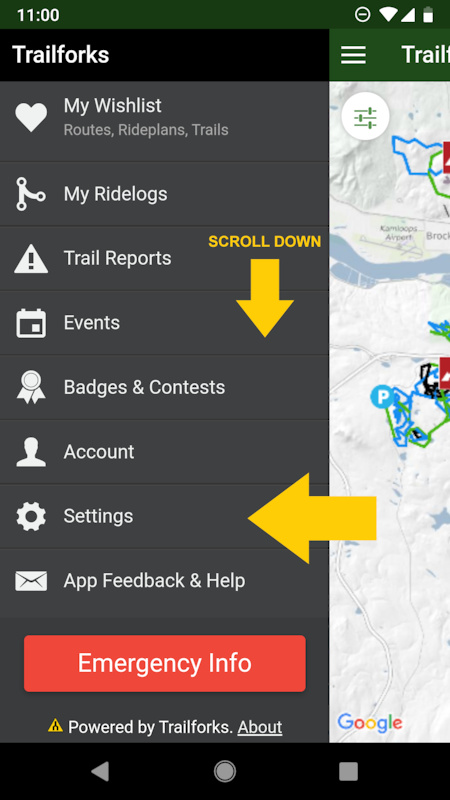
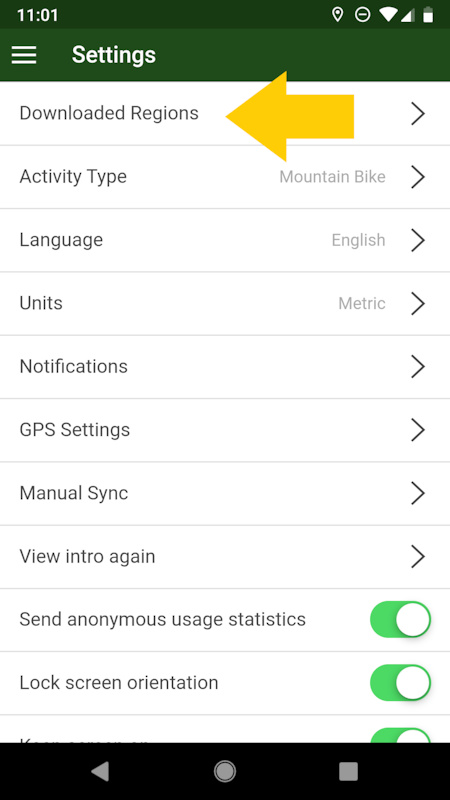
Go to the downloaded regions page accessed via the "Settings" page from the main side menu.
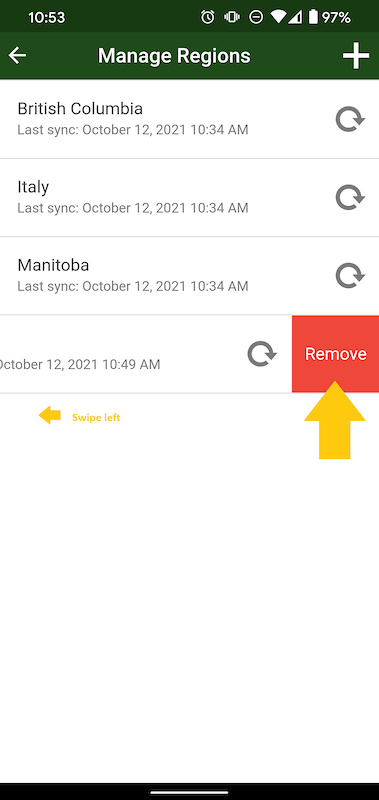
Swipe LEFT on the region you want to delete, this will reveal a red delete button you can press.
STEP 1
![photo]()
STEP 2
![photo]()
STEP 3
Swipe region to the left to reveal red "remove" button.
![photo]()
Swipe LEFT on the region you want to delete, this will reveal a red delete button you can press.
STEP 1
STEP 2
STEP 3
Swipe region to the left to reveal red "remove" button.
- By canadaka
 Trailforks
 - #68 - 10,245 views