
We have moved Trailforks support to a new help center. Please visit help.trailforks.com for support.
These articles might be out of date.
These articles might be out of date.
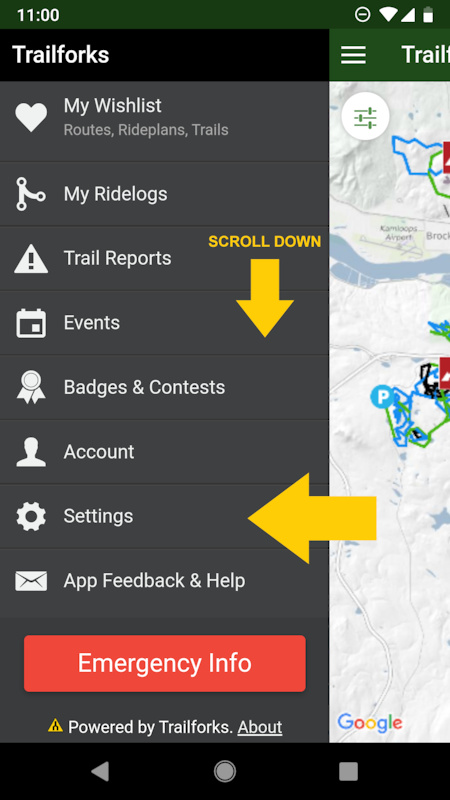
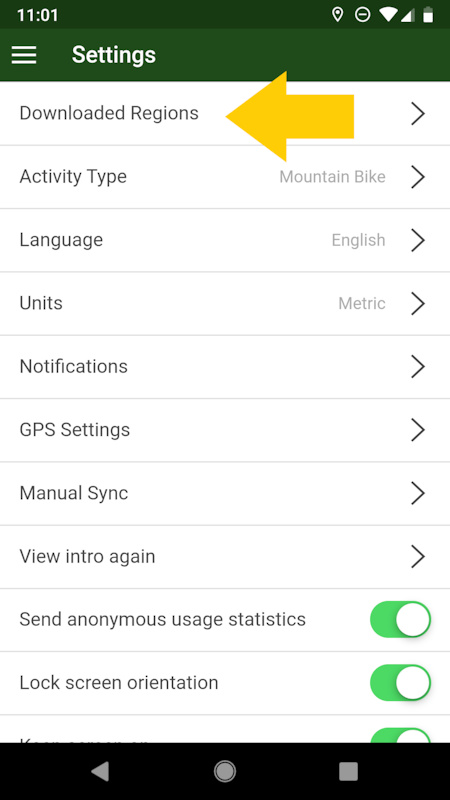
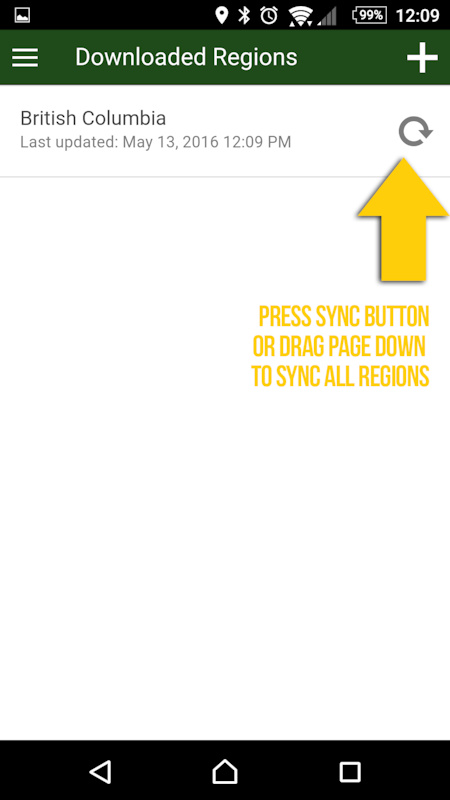
The app tries to auto update your downloaded regions in the background every few hours, but if you haven't had the Trailforks app open much, it won't have had a chance to update in the background. So you can force a update/sync by going to the "downloaded regions" page within the app settings accessed from the side menu. You can sync regions individually or you can drag the page down to sync all your downloaded regions.
STEP 1
![photo]()
STEP 2
![photo]()
STEP 3
![Sync downloaded region step 2]()
STEP 1
STEP 2
STEP 3
- By canadaka
 Trailforks
 - #73 - 11,910 views