3.8 miles
Distance
380 ft
Climb
-367 ft
Descent
304 ft
High Point
12 ft
Altitude change
32 ft
Altitude min
33 ft
Altitude start
46 ft
Altitude end
0.1%
Grade
-34.1%
Grade max
20.1%
Grade min
2 miles
Distance climb
1 mile
Distance down
4,944 ft
Distance flat

No description for Puyallup Loop route has been added yet! Submit one here.

Detailed Description
Puyallup Loop is a 4 mile less popular easy route located near Puyallup Washington. This hike only route and has a easy overall physical rating. This route includes 3 trails. This route climbs 380 ft with a max elevation of 304 ft then descends -367 ft.
Local Trail Association
Local trail association
Puyallup Valley Bike Club (puyallupvbc.org)
Please consider joining or donating to the local riding association to support trail development & maintenance.
Donate to earn trail karma!

Stats

  • Distance
    4 miles
  • Altitude min
    32 ft
  • Altitude start
    33 ft
  • Altitude end
    46 ft
  • Climb
    380 ft
  • Descent
    -367 ft
  • Grade
    0.1%
  • Grade max
    -34.1%
  • Grade min
    20.1%
  • Distance climb
    2 miles
  • Distance down
    1 mile
  • Distance flat
    4,944 ft

Comments


We hope you've been enjoying Trailforks!

Create a FREE account to view route comments and much more.

Trails in Route

Brown Trail1,503 ft

Details

  • Riding area
  • Primary Activity
    Hike
  • AKA
    Clarks Creek Park Loop
  • Difficulty rating
    Green
  • Route Type
    Loop
  • eBike Allowed
  • Physical rating
    Easy

Directions

  1. Walk east on Meeker Creek Trail.
  2. Continue for 300 meters.
  3. Walk south on 11th Street Southwest.
  4. Continue for less than 10 meters.
  5. Turn left onto Silver Creek Trail.
  6. Continue for 100 meters.
  7. Walk east on Silver Creek Trail.
  8. Continue for 400 meters.
  9. Walk southeast on Silver Creek Trail.
  10. Continue for 200 meters.
  11. Walk north on Brown Trail.
  12. Continue for 200 meters.
  13. Walk southwest on Brown Trail.
  14. Continue for 300 meters.
  15. Walk south on Hummingbird Hill Trail.
  16. Continue for 100 meters.
  17. Walk north on Dead Man's Trail.
  18. Continue for 300 meters.
  19. Walk northwest on Dead Man's Trail.
  20. Continue for 30 meters.
  21. Walk northeast on Bubbling Spring.
  22. Continue for 300 meters.
  23. Walk northeast on Bubbling Spring.
  24. Continue for 700 meters.
  25. Walk northeast on Bubbling Spring.
  26. Continue for 200 meters.
no votes yet
close
3D
Trail Conditions
  • Unknown
  • Snow Groomed
  • Snow Packed
  • Snow Covered
  • Snow Cover Partial
  • Freeze/thaw Cycle
  • Icy
  • Prevalent Mud
  • Wet
  • Variable
  • Ideal
  • Dry
  • Very Dry
Trail Flow (Ridden Direction)
Trailforks scans users ridelogs to determine the most popular direction each trail is ridden. A good flowing trail network will have most trails flowing in a single direction according to their intension.
The colour categories are based on what percentage of riders are riding a trail in its intended direction.
  • > 96%
  • > 90%
  • > 80%
  • > 70%
  • > 50%
  • < 50%
  • bi-directional trail
  • no data
Trail Last Ridden
Trailforks scans ridelogs to determine the last time a trail was ridden.
  • < 2 days
  • < 1 week
  • < 2 weeks
  • < 1 month
  • < 6 months
  • > 6 months
Trail Ridden Direction
The intended direction a trail should be ridden.
  • Downhill Only
  • Downhill Primary
  • Both Directions
  • Uphill Primary
  • Uphill Only
  • One Direction
Contribute Details
Colors indicate trail is missing specified detail.
  • Description
  • Photos
  • Description & Photos
  • Videos
Trail Popularity ?
Trailforks scans ridelogs to determine which trails are ridden the most in the last 9 months. Trails are compared with nearby trails in the same city region with a possible 25 colour shades. Think of this as a heatmap, more rides = more kinetic energy = warmer colors.
  • most popular
  • popular
  • less popular
  • not popular
ATV/ORV/OHV Filter
Max Vehicle Width
inches
US Cell Coverage
Legend
cell carrier legend

Radar Time
Activity Recordings
Trailforks uses anonymized public activity data. ?
Activity Recordings
Trailforks uses anonymized public activity data. ?
Personal Heatmap
Activity Types
all / none
Options
2
Date range month
Winter Trails
Warning A routing network for winter maps does not exist. Selecting trails using the winter trails layer has been disabled.
Missing Trails
Most Popular
Least Popular
Trails are colored based on popularity. The more popular a trail is, the more red. Less popular trails trend towards green.
Jump Magnitude Heatmap
Heatmap of where riders jump on trails. Zoom in to see individual jumps, click circles to view jump details.
BC Backroad Status

Service Road Atlas is a free to use, community-driven service for viewing and creating reports on the numerous back-country service roads around B.C. and Alberta.

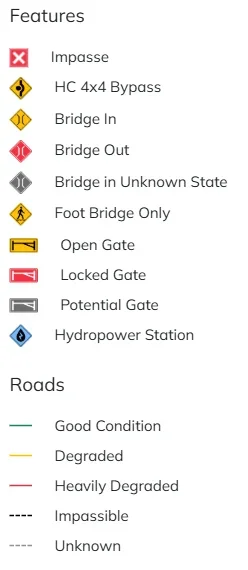
map legend
Slope Aspect
Direction the slope faces
Flat N NE E SE S SW W NW
Trails Deemphasized
Trails are shown in grey.
disable
Only show trails with no bike usage.
Enable
Suggested Layers
Based on selected activity type

    Save the current map location and zoom level as your default home location whenever this page is loaded.

    Save
    Trail transparency
    • Singletrack
    • Unpaved

    Recent Trail Reports Along Route

    no previous reports.

    Hit the Trail

    Open in App

    Get this route on your phone instantly.

    Download Route

    Save to wishlist, Garmin & download.